

A poorly calibrated soldering station can lead to weak joints, damaged parts and wasted time. Although many should be more concerned about the skill than the equipment, it is so easy to overlook the operation of the equipment. This little error can cause inconsistency in results.
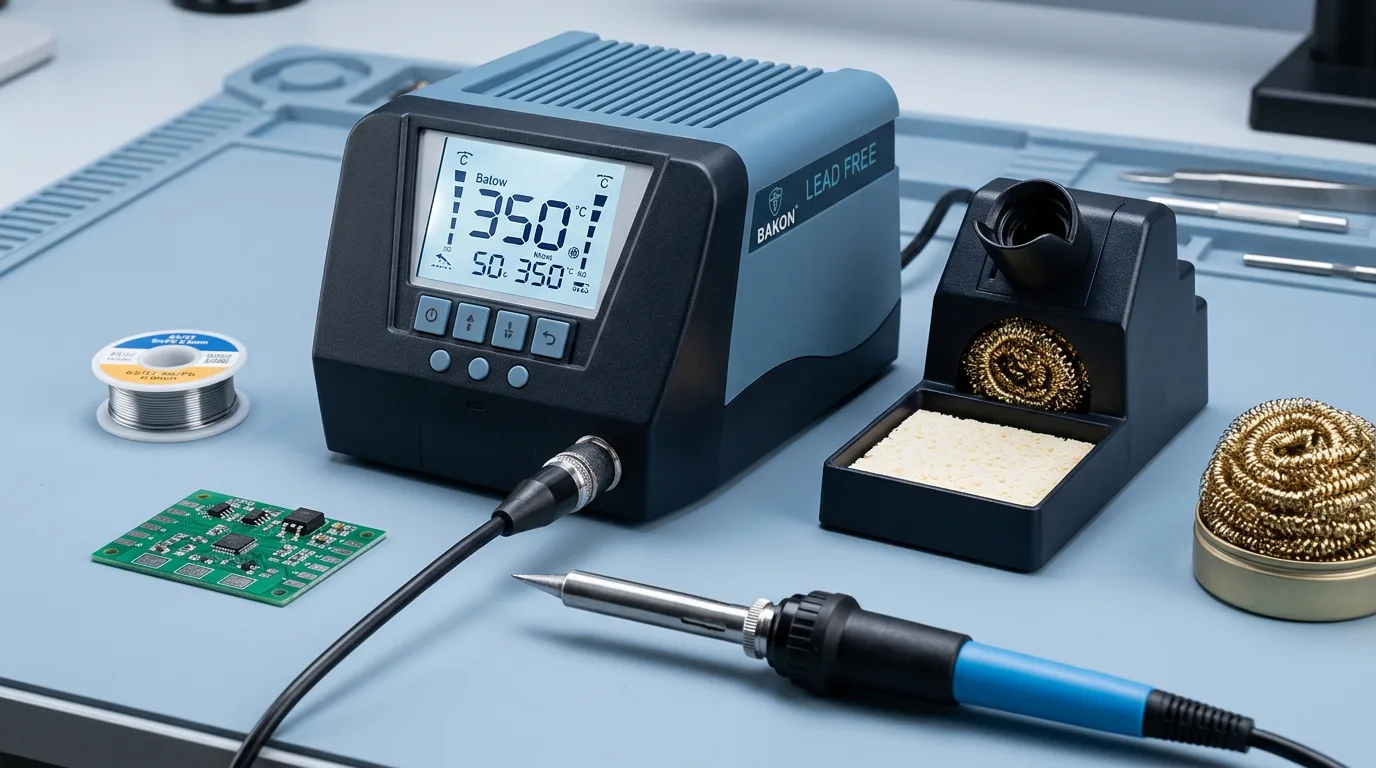
This is the Bakon BK90. Bakon products have a reputation for having very stable temperature control and BK100 is no exception. Whether you‘re experienced in electronics repair already or just have some workshop time under your belt, knowing how to begin setup and calibration is vital.
Most users report that calibrating the Bakon BK90 means that they can solder better, the tip lasts much longer, and the risk of heat damage to components is reduced. This step-by-step guide teaches you how to prepare, set up, and calibrate your Bakon BK90 in a very straightforward manner for your own peace of mind.
Understanding the Bakon BK90 and Its Components
Before beginning the setup process, spend a moment to know the main parts of your Bakon soldering iron system.
A standard Bakon BK90 package usually includes:
- Main control unit
- Soldering handle
- Soldering tip
- Power cable
- Handle stand
- Cleaning sponges or brass wool
This is the control unit that regulates the tip temperature. The handle incorporates the heating element, and the tip transports heat to the solder joints.
Most experts acknowledge that mastering these elements makes troubleshooting later on significantly simpler.
During heavy-duty use make sure that the delivery includes all the undamaged parts when ordering from a trusted Bakon BK90 supplier. Carrying accessories can be lost during some parts of the trip and can influence the unit's performance and safety.
Any cables and connectors should be checked thoroughly before turning on the unit. A simple examination can save a lot of trouble. Some of the common types of soldering tips for Bakon products include chisel tip, conical tip, bevel tip, knife tip etc.
Types of Soldering Tips for the Bakon BK90
The Bakon BK90 has interchangeable tips, and the ability to select the right one may enhance the quality of the output.
Chisel Tip
This is one of the more classic tip shapes. Works well for most general electronics repair and heat dissipation
Conical Tip
The conical tip is sharp. It is suitable for small solder joints and detailed work on small circuit boards.
Bevel Tip
Provides a greater contact area. Technicians use this tip as a drag soldering tip and for other applications where better heat transfer is needed.
Knife Tip
Knifetip- these are conical in shape and are used for specific jobs. They are used to reach difficult-to-access angles and are used for rework purposes.
All specialists concur that selecting the right tip can speed up the soldering process as well as avoid the possible destruction of the component.
Preparing Your Workspace Before Setup
A tidy workspace helps to make soldering safer and more accurate.
Set your bakon soldering bk90 down on a level, heat-resistant surface. Remove any sources of fire that are close to the station.
Before connecting power, make sure you have:
- Adequate lighting
- Proper ventilation
- Tip cleaning materials
- Safety glasses
- Solder and test materials
For example, too little venting causes solder fumes to build up. Small repairs produce working situations that can become unpleasant over a long period of time.
Keep tools within reach. This minimises extra movement when soldering.
Further, if technicians have to work on sensitive electronics, they generally use an anti-static mat. This is not necessarily the case but it is a good idea.
A tidy workspace makes it easy for you to concentrate on what you‘re working on rather than rummaging around for things.
Setting Up the Bakon BK90 Soldering Station
When you have your workspace prepared, its time to set it up!
Step 1: Install the Soldering Tip
Insert the tip into the handle as demonstrated by the manufacturer.
Make sure a tight fit. A loose tip can give uneven temperatures.
Step 2: Connect the Handle
Connect the soldering handle connector to the control unit.
Make sure the plug is correctly secured.
Step 3: Position the Stand
Position the Handle stand next to the station.
Maintain sufficient clearance between yourself and the cables and any other equipment.
Step 4: Power On the Unit
To turn on the station, plug the power cord into the station.
Use a beginning temperature which is from 300 C to 350 C for general tests.
Step 5: Allow Warm-Up Time
Once the display is at the selected temperature.
The majority of the Bakon BK90 soldering station units would stabilize within no more than a minute but a minute release provides more consistency.
The station was now ready to undergo calibration and tests.
Bakon BK90 Setup & Calibration Quick Guide
This reference sheet summarizes the procedures needed to set up, calibrate, and operate the Bakon BK90 soldering station in a safe and effective manner to produce problem-free solder joints.
|
Stage |
Action |
Target / Key Note |
|
Setup |
Assemble tip and handle. Insert iron into the stand. |
Secure connections tightly. |
|
Power |
Turn on unit and set the temperature. |
Aim for 300°C – 350°C to begin with. |
|
Test |
Measure tip temperature in actual with tool thermometer. |
Set the station to 3500 °C for tests. |
|
Calibrate |
All the way adjusted the station‘s internal offset if when doing. |
Match display to the thermometer. |
|
Maintain |
Clean tip- brass wool. Tin - fresh solder. |
Avoid exceeding 400 C unless it is vital. |
How to Calibrate the Bakon BK90 Correctly
Calibration makes sure the displayed tip temperature is accurate to the actual.
Differences in temperature may develop over time through wear on the tip and usage.
Equipment Needed
You will need:
- Tip thermometer or thermocouple meter
- Clean soldering tip
- Calibration screwdriver if required
Calibration Procedure
- Turn it to 350 Celsius.
- Let the tip settle.
- Actual tip temperature to be measured.
- Compare the reading with the display value.
- If your model can be calibrated, enter calibration mode.
- Set “Correct the difference” and save.
For example the 350 o C display is lit but the thermometer reads 335 o C then you need to calibrate.
Research shows that effective temperature managements makes the solder joints more reliable and reduces the stress within the components.
Over the ruler. To get the correct result we need to redo the measurement again to confirm the accuracy after adjustment.
A lot of users miss verification, but calibration was successful after a second check.
Fun Facts
- The Bakon BK90 soldering station is very attractive to repair technicians as it has very fast heat recovery.
- A clean soldering tip will transfer heat better than a dirty one.
Testing Performance and Avoiding Common Mistakes
Once we are calibrated, we will do a simple solder test.
Use an extra circuit board or demo board.
Look for these signs of correct operation:
- Smooth solder flow
- Quick heat recovery
- Clean solder joints
- Stable temperature readings
The other consideration to be aware of is that if the solder melts too slow and will require recalibration.
Common Mistakes to Avoid
- With a poor soldering tip.
- Skipping temperature verification
- Too high operating temperatures
- Ignoring damaged cables
- Powering the station on for an extended period of time.
For instance, at 450 o C and during normal operation, spiking could greatly reduce tip life.
When you purchase from a reputable Bakon BK90 Dealer, inquire about replacement tips and maintenance parts. Availability of spare parts is a definite advantage.
Last but not least, company owners should do proper maintenance in order to extend the life expectancy of the bakon soldering gun.
Did you know? Proper tip cleaning will go a long way in doubling the lifespan of your Bakon Soldering Iron and increasing heat transfer.
Reliable Spares and Consumables
Reliable Spares & Consumables, lead by Mr.JK Khowal, possesses 19 years of experience in the industry, including manufacturing and supplying ESD products and industrial electronics tools in India. With their own manufacturing facility and expertise, they are one of the leading providers of customised ESD solutions, soldering stations, BGA rework stations,ESD chairs, testers and ESD static control consumables that meet customer needs in the electronics manufacturing sector. Reliable Spares & Consumables manufactures the products using tested components and guarantees the best performance and lifespan with stringent in-house testing facilities and conformity to industry standards. With comprehensive OEM and bulk supplying options available, as well as a well established and efficient distribution channel nationwide. They are able to supply their goods promptly across India and improve workplace safety and productivity in offices.
FAQs
Q1. Why do I need to calibrate my Bakon BK90?
Calibration makes sure the temperature you see is the temperature at the tip so that your soldering is consistent.
Q2. What temperature should I start with on the BK90?
General soldering is generally done around 300 ‘C – 350 ‘C.
Q3. How often should I calibrate my Bakon BK90?
Calibration should be carried out as and when you observe unsuitable temperature environments, after tip replacements or as a service.
Q4. What is required to calibrate the BK90?
To accurately tailor the BK90, a tip thermometer or thermocouple meter is required to test the actual tip temperature.
Q5. What can be done to make the BK90 SS longer lasting?
Frequently clean the tip and apply a fresh layer of solder, and do not let the tip run hotter than 400°C.
Conclusion
Achieving optimal performance from a soldering station begins long before the first solder joint. It persists in setup the right, calibration should be accurate and even testing.
The Bakon BK90 is assembled to deliver a consistent working temperature but like all equipment is no good without tuning. Set up your work environment correctly followed the setup procedure and calibration check to improve your solder quality and reduce rework.
Keep up your tips, check the temperatures and replace components if you need to. Small routine maintenance actions and the proper use of the tip can make a big difference!
A properly tuned soldering station makes every repair easy and assured.
Get the right tools for better soldering results with Reliable Spares and Consumables. Contact Us Today!