

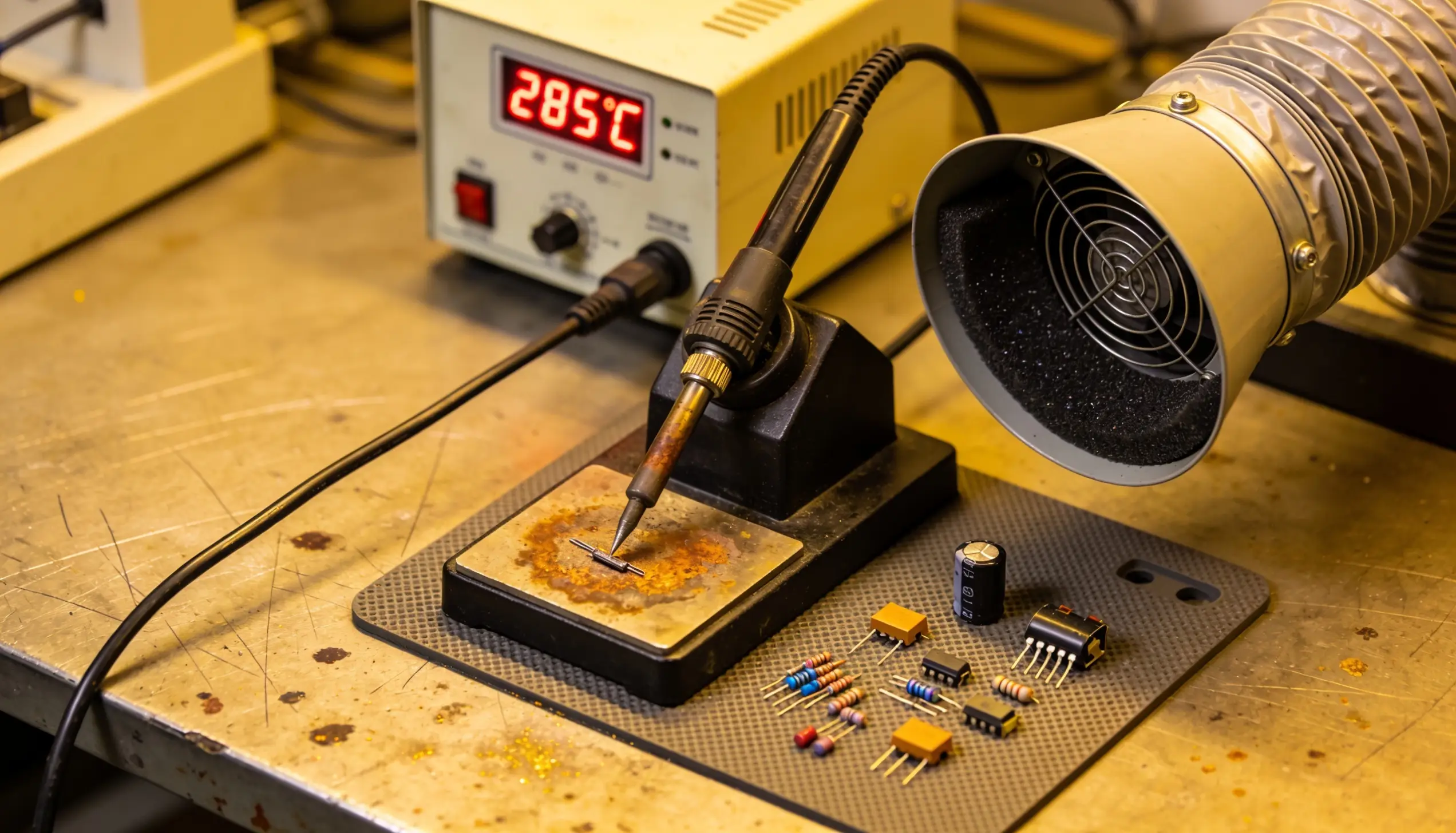
There is a particular kind of frustration that builds up slowly on a production floor. Boards passing inspection one day, failing the next. Technicians are adjusting settings that should not need adjusting. Rework piling up at the end of the line while nobody can quite put their finger on what changed. More often than not, the answer is sitting right there on the workbench — a soldering station that is being used incorrectly, maintained poorly, or simply not suited to the job it is being asked to do.
Even the Best Soldering Station for electronics assembly will underperform if the setup, operation, or maintenance around it is off. This is not a criticism of operators — it is a reality of how complex modern SMT production environments have become. Lead-free alloys, fine-pitch components, multilayer boards with aggressive thermal demands — these are not forgiving of equipment errors the way older through-hole assembly was.
This article walks through the five errors that show up most often on production floors, what they actually look like in practice, and how to fix them properly rather than just working around them.
Quick Overview: Common Soldering Station Errors at a Glance
Here are some of the common soldering station errors.
ErrorMain CauseProduction ImpactQuick FixIncorrect temperature settingsWrong alloy profile or uncalibrated stationCold joints, component damage, rework spikeRecalibrate, set profile per alloyOxidised or damaged tipsPoor maintenance, wrong tip for applicationPoor heat transfer, inconsistent jointsReplace tip, enforce tinning protocolPoor grounding and ESD problemsInadequate ESD-safe workstation setupLatent device failures, field returnsFull ESD audit, grounded soldering tableHot air gun airflow mistakesWrong nozzle, incorrect flow rateComponent displacement, thermal damageMatch nozzle to component, reduce airflowImproper workstation setupNo ergonomic or safety planningOperator fatigue, inconsistent work qualityRedesign station layout and add accessories
Error 1 — Incorrect Temperature Settings
Some of the soldering station errors include:
What It Looks Like on the Floor
Joints that look dull or grainy. Components that occasionally lift during soldering. Flux that burns off before the solder flows properly. These are the classic signs of temperature problems — and they appear on floors running both too hot and too cool, which is part of what makes them confusing to diagnose.
Why It Happens!
Most production floors switched to lead-free alloys years ago, but not everyone updated their temperature profiles to match. SAC305 and similar lead-free alloys need higher working temperatures than traditional tin-lead. Running a temperature-controlled soldering station at profiles designed for 60/40 on a lead-free line is a reliable way to produce cold joints at scale.
The other cause is calibration drift. A station that read accurately twelve months ago may not read accurately today. The thermocouple inside the heating element degrades over time, and without periodic calibration checks, nobody knows how far the displayed temperature has drifted from the actual tip temperature.
Production Floor Fact
Studies across SMT manufacturing facilities consistently show that temperature-related soldering defects account for between 30% and 40% of all rework activity. That is a significant slice of production cost attached to one variable.
How to Fix It
Calibrate every station on a defined schedule — quarterly at minimum and monthly in high-volume environments. Use a tip thermometer, not just the station's own readout. Set temperature profiles based on the actual alloy being used, not on what worked previously or what a previous operator preferred.
For SAC305, most production environments work well in the 340°C to 370°C range at the tip, accounting for thermal loss during contact.
Prevention Checklist
- Schedule quarterly tip temperature calibration
- Document and lock temperature profiles per alloy type
- Train operators not to manually adjust settings mid-production
- Use stations with closed-loop temperature compensation
Error 2 — Oxidised or Damaged Soldering Tips
What It Looks Like on the Floor
Solder balling rather than flowing. Heat transfer that feels slow even though the station reads correctly. Tips that look dark, pitted or coated with a black layer that flux will not clean off. Operators are increasing temperature to compensate – making everything worse.
Why It Happens
Oxidation is inevitable. Every time a soldering tip sits at operating temperature without active tinning, the exposed metal surface oxidises. The problem compounds when operators leave stations at full temperature during breaks, when tips are wiped dry rather than re-tinned after use, and when the wrong tip geometry is being used for the application — forcing operators to press harder and wear the plating faster.
A damaged tip does not just slow down production. It introduces variability into every joint made with it, because heat transfer is no longer consistent across the contact surface.
Expert Tip
A properly tinned tip should look bright and silver when active. If your operators' tips look brown or black at the working temperature, oxidation has already taken hold. Replace the tip and enforce tinning protocols before resuming production.
How to Fix It
Replace oxidised tips — they cannot be restored to full performance through cleaning alone once the plating is compromised.
Implement a tinning protocol:
- Tin the tip before the first joint of the shift
- Re-tin every 20 to 30 joints during production
- Tin immediately before powering down
- Use tip-tinner compound rather than just solder for maintenance tinning
Also check tip geometry. A conical tip being used on large thermal pads is working against physics. The right chisel or hoof tip for high-mass connections makes the job faster and reduces the mechanical pressure operators apply.
Tip: Lifespan Is Directly Tied To The Following:
- Temperature — higher settings accelerate oxidation
- Mechanical pressure — pressing harder destroys plating faster
- Alloy chemistry — some flux formulations are more aggressive
- Maintenance discipline — tinning frequency matters enormously
Error 3 — Poor Grounding and ESD Problems
What It Looks Like on the Floor
This one is particularly difficult because it often does not show up immediately. ESD damage to sensitive components creates latent failures — devices that pass inspection, ship to customers, and fail in the field weeks or months later. The production floor never sees the connection because the damage happened invisibly.
What does show up on the floor is occasionally components behaving erratically during tests, higher-than-expected field return rates from certain product lines, or sensitive ICs that seem to have a suspiciously high failure rate.
Did You Know?
Electrostatic discharge as low as 10 volts can permanently damage sensitive MOSFET and CMOS devices — well below the threshold a human operator can feel. Most people cannot perceive static discharge below 3,000 volts.
Why It Happens!
An ESD-safe soldering station table is not just a grounded mat. The entire workstation needs to be part of a continuous grounding system — mat, wrist strap, soldering iron tip, fume extractor housing, component trays, and operator footwear on ESD-safe flooring.
Any break in that chain creates a potential discharge path through the board being worked on.
Many production floors set up basic ESD precautions and then never audit whether they are actually working. Wrist straps degrade. Mats develop insulating surface contamination. Ground connections loosen. The system that was effective on day one stops being effective six months later without anyone noticing.
How to Fix It
Conduct a full ESD audit covering every workstation.
Essential Checks
- Use a wrist strap tester daily
- Test mat resistance quarterly
- Verify iron tip-to-ground continuity on every soldering station for electronics work
- Check that the ESD-safe soldering table is grounded to the facility earth
Error 4 — Hot Air Soldering Gun Airflow Mistakes
What It Looks Like on the Floor
Components shifted slightly from their pads after reflow. Bridges between fine-pitch leads. Neighbouring components disturbed by airflow that was aimed at one target. Occasionally, delamination on thin boards that were heated too aggressively.
The hot air soldering gun is one of the most useful tools in SMT rework—and one of the most frequently misused.
Quick Trivia
Airflow speed affects rework quality as much as temperature does. Most hot air rework errors traced back to the gun are actually airflow problems, not temperature problems — even though temperature is what operators adjust first.
Why It Happens!
Using the wrong nozzle for the component size is the most common cause.
- A wide-bore nozzle aimed at a small SOT-23 package sends airflow across half the board
- A narrow nozzle used on a large QFP concentrates heat unevenly and takes too long, increasing total thermal exposure to the board
Flow rate is the second variable that gets ignored.
- High airflow physically moves components before the solder reaches reflow temperature
- Low airflow on a large thermal mass never gets the package hot enough uniformly
How to Fix It
Match the nozzle to the component. Most professional rework systems include component-specific nozzle sets – use them.
Set airflow low enough that a piece of tissue paper held near the work area does not flutter dramatically.
Start with a preheat phase at lower temperature before bringing the nozzle to full rework temperature, particularly on multilayer boards.
Airflow Guidelines for Common Applications
|
Application |
Airflow Recommendation |
|
Small SMD components (0402, SOT-23) |
1–2 l/min, narrow nozzle |
|
Medium ICs (SOIC, QFP) |
3–5 l/min, matched nozzle |
|
Large packages (BGA, large QFP) |
6–8 l/min, wide nozzle with bottom preheat |
Error 5 — Improper Workstation Setup
What It Looks Like on the Floor
Operators stretching awkwardly to reach components. Tools not where they need to be, so hands move across hot elements to reach them. Solder wire being held at an angle that makes consistent feeding difficult. Lighting that is insufficient for fine-pitch work. Fume extraction positioned too far away to be effective.
These are ergonomic and organisational problems, and they show up as inconsistent work quality and operator fatigue across a shift.
Why It Happens
Workstation layout is often set up once during initial installation and never revisited. Production requirements change, component complexity increases, and the original setup that worked for simpler assemblies no longer suits what the line is actually doing.
Nobody formally reviews it because it is not a machine setting — it is just how the bench looks.
How to Fix It
Design the soldering station table layout around the actual work sequence.
Best Practices
- The soldering iron holder should be on the operator's dominant side
- Solder wire should feed from a reel positioned so tension is consistent
- Component trays should be arranged in the sequence they are used
- Lighting should provide shadow-free illumination directly over the work area
ESD-Safe Workstation Setup Checklist
- Grounded ESD mat covering full work surface
- Iron holder positioned within 30cm of primary work area
- Fume extractor inlet within 15cm of soldering point
- Solder reel mounted, not hand-held
- Anti-fatigue mat for standing operators
- Adequate direct lighting over work area
- Component trays in work-sequence order
- Wrist strap tester mounted visibly at station
How to Choose the Right Soldering Station for Your Operation
Here are some of the ways that will help you choose the right soldering station.
Temperature Control
Look for closed-loop systems that compensate for thermal load automatically. A station that holds its set temperature under contact with a large thermal mass produces more consistent joints than one that dips and recovers slowly.
Wattage
Higher wattage does not mean running hotter — it means the station recovers faster after heat transfer.
For production environments with continuous use, 80W to 100W stations outperform lower-wattage units even at the same operating temperature.
ESD Compatibility
Every station used in electronics assembly should have a grounded tip as standard. Verify this before purchase, not after.
Soldering Station Kit Selection
For new workstation builds, a complete soldering station kit that includes the station, tip set, holder, cleaning system and ESD accessories reduces compatibility issues and simplifies procurement.
Soldering Station Price vs. Total Cost
The purchase price of a station is a small fraction of its total cost when rework rates, tip consumption and downtime are factored in.
Cheap stations with poor temperature stability create expensive rework problems.
Reputable Soldering Station Manufacturers build stations that cost more upfront and significantly less over their working life.
Choosing Suppliers
Work with established Soldering Station Suppliers and Soldering Station Dealers who can provide calibration documentation, application guidance and consistent spare parts supply.
The support relationship matters as much as the equipment specification.
About Reliable Spares & Consumables
‘Reliable Spares & Consumables is a reliable pioneer in electronics production, which offers high-performance ESD solutions and industrial tools. Under the leadership of CEO Mr. JK Khowal, who brings 19+ years of expertise in industrial trading and supply support the operations professionals go through on a daily basis. With long experience in manufacturing units and repair centres, Mr Khowal will guarantee that we know how the downtime and delays of equipment directly jeopardise your productivity.
Our high-quality products are supported by skilled technical services and prompt service to ensure your business runs smoothly. We have professional soldering stations and magnifying lamps, fume extractors and ESD-safe equipment such as trolleys and testers, to name just a few. Our idea is to enable electronics professionals to realise high assembly standards in a safe, efficient and downtime-free environment.’
Talk to Reliable Spares & Consumables About Your Soldering Requirements
If anything in this article has described a problem you are currently dealing with — or a setup decision you want to get right the first time — the Reliable Spares & Consumables team is worth speaking to.
Whether you need:
- A single replacement station
- A complete ESD-safe soldering table setup for a new production line
- Bulk procurement for multiple facilities
- A soldering station kit for a new electronics lab
- Technical guidance on the right configuration for a specific application
The conversation starts with understanding what you actually need.
Reach Out For:
- Product specifications and technical consultation
- Bulk and OEM procurement pricing
- Distributor and dealer partnership enquiries
- Demo and evaluation unit requests
- Production floor assessment and recommendations
FAQs
Q: How often should soldering station tips be replaced in a production environment?
Tips should be inspected daily and replaced when plating is visibly compromised, when heat transfer feels sluggish despite correct temperature settings, or when the tip surface cannot be restored to a bright finish through standard tinning.
In high-volume environments, tip replacement every two to four weeks is typical.
Q: What is a reasonable soldering station price range for production use?
Professional production-grade stations from reputable Soldering Station Manufacturers typically range from mid-tier to premium pricing depending on wattage, temperature stability and ESD features.
Budget stations are rarely cost-effective in production environments when rework rates and tip consumption are factored in.
Q: How do I know if my soldering station needs calibration?
Use a tip thermometer to measure the actual tip temperature against the displayed setting. A variance of more than 10°C indicates calibration is needed. Most production environments should calibrate quarterly at minimum.
Q: What makes a workstation ESD-safe?
A complete ESD-safe setup requires:
- A grounded mat
- A verified wrist strap
- A grounded soldering iron tip
- ESD-safe component trays
- ESD-safe flooring where possible
All elements need to be part of a continuous grounding path — individual elements in isolation do not provide adequate protection.
Q: Can I use the same soldering station for lead-free and tin-lead alloys?
Yes, but temperature profiles must be changed between alloys.
- Lead-free alloys require higher working temperatures
- Using tin-lead profiles on lead-free alloys produces cold joints
- Using lead-free profiles on tin-lead work risks component damage and accelerated tip oxidation
Q: What causes bridges on fine-pitch components during hand soldering?
Bridges typically result from:
- Excess solder
- Incorrect tip geometry
- Moving too slowly across fine-pitch leads
- Using too much flux that does not activate properly at the working temperature
A chisel or blade tip sized to the pitch of the leads, combined with controlled solder feed, reduces bridging significantly.
Q: How do I choose between different Soldering Station Dealers?
Prioritise dealers who can provide:
- Calibration documentation
- Application guidance
- Consistent spare parts supply
The supply and support relationship after purchase affects production uptime more than the initial purchase price does.